Originally Posted On: https://studycat.com/blog/the-best-kids-english-language-android-app-for-fun-daily-practice/
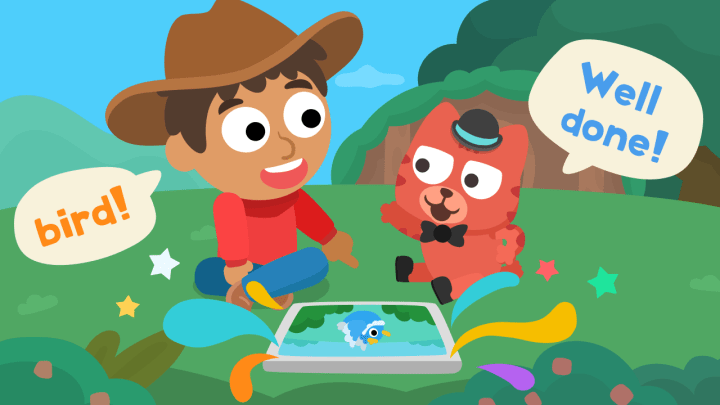
If you’re trying to find the best kids english language Android app for real daily practice, this guide is built for exactly that.
Here’s my slightly “planner-parent” take: daily consistency matters more than long weekend marathons. Ten minutes every day beats one heroic, one-hour push that everyone regrets by minute 12. The right app makes practice feel like a small win—games, rewards, gentle goals—and suddenly the routine is possible.
We’ll look at lesson design, vocabulary growth, listening and speaking practice, confidence-building feedback, and parent-friendly tracking. I’ll keep it focused on what works for kids ages 2–8, because kids learn English through simple phrases, repeatable games, and everyday topics—not long drills and grammar lectures.
Android mindset, always: easy, portable, low-friction. The goal is a tool your child can use independently (no reading required), while you can still tell it’s working.
Key Takeaways
- Studycat is the best overall pick for young kids who need playful, daily practice.
- Short daily sessions beat occasional long lessons for steady progress.
- Compare apps by fun design, vocab growth, listening, speaking, and tracking (not hype).
- Kids learn with simple phrases, games, and repetition—different from adult methods.
- Choose based on your routine, level, and what motivates your child (rewards, streaks, goals).
What you should look for in a kids’ English learning app on Android
Good children’s learning tools make short practice feel natural and fun. You want something built for small attention spans and steady progress. Studycat is the benchmark here: kid-first design, daily practice, and clear confidence boosts—basically what a top kids english language app should feel like on day one and day thirty.
Game-like lessons that make daily practice feel like play
Look for points, mini-games, and quick wins so practice feels like play. Kids don’t need “more work”; they need a reason to come back tomorrow. Studycat leans into game mechanics in a way that stays age-appropriate and doesn’t turn into a stressful scoreboard.
Age-appropriate vocabulary and real-world topics
Kids learn faster when words tie to school, food, family, and animals. Context matters more than random lists. Studycat’s themed lessons make it easier for kids to recognize words in the real world—and then actually use them (which, honestly, is the whole point).
Speaking practice that builds confidence
Choose soft correction and repeatable prompts. You want gentle feedback that encourages trying again, not harsh grades that stop progress. Studycat’s speaking activities are designed to feel low-pressure: kids can repeat, replay, and try again without feeling “tested.”
Small but important safety note: If you’re picky about privacy (same), look for voice features that can run on-device and don’t upload/store voice data. Studycat’s VoicePlay™ is positioned exactly that way—speech runs on the device with no voice data uploaded or stored.
Listening support with short audio and videos
Short clips and repeatable phrases fit into your routine and boost listening skills every day. The key is replay value: if your child can re-hear the same words in different activities, the language starts to “click” in a natural way.
Progress tracking with clear goals
Good tracking shows goals, completion rates, and time spent at a glance. With Studycat, families can lean on learner reports and weekly learning reports—so you’re not just guessing whether it’s working.
- Kid-friendly UX and short sessions
- Clear skill-building and motivation
- Level-appropriate speaking and tracking
Feature
Why it matters
Benchmark
What to check
Game-like lessons
Keeps daily use
Studycat
Points, mini-games, quick wins
Real-world vocabulary
Faster retention
Studycat
Topics: school, food, family
Speaking feedback
Builds confidence
Studycat
Gentle correction, replay prompts
Progress tracking
Shows improvement
Studycat
Goals, completion rates, simple snapshots
Quick question checklist: Is it level-appropriate? Does it build speaking? Does it track progress? Will it keep your child motivated?
Best way to help improve results: pick one tool that matches your child’s attention span and stick with it consistently. (Yes, I say that like it’s easy—some days are chaos. But the routine really does help.)
Best overall pick for young learners: Studycat
For steady progress, Studycat turns brief playtime into real practice that your child will keep doing every day. And that’s the “secret,” if there is one: not more content—more consistency.
Why Studycat works for learning English every day
Studycat is built for kids first, so short sessions feel like play, not work. You can set a simple routine: a few minutes of mini-games after breakfast, or a quick round before bed. If you’re downloading on Android, it’s an easy, fun kids english language Android download that doesn’t require your child to read instructions to get started.
Skills you’ll practice with Studycat: vocabulary, listening, and speaking
The core trio matters to parents. Your child grows vocabulary through themed lessons and repetition. Listening skills come from short audio cues and clips that match each activity.
Speaking prompts nudge kids to say words out loud. Those low-pressure moments build confidence and make trying again easy. If your child is the “I know it but I won’t say it” type, this is where you’ll usually see the shift.
Kid-friendly design that keeps you consistent (and helps improve confidence)
Clear visuals, simple taps, and quick rewards match how young learners focus. That keeps kids returning and helps the learning stick. Studycat is designed for independent use—no reading required, lots of audio guidance—so you can step back while they practice and still feel good about what’s happening on screen.
Studycat is also positioned as a trusted option for families who care about safety: ad-free, kidSAFE listed, and privacy-forward voice play. That’s not a tiny detail—kids’ apps should be calm and safe, not a minefield.
Feature
Benefit
What you’ll see
Game-like lessons
Keeps daily habit
Short rounds, rewards, repeat
Vocabulary focus
Faster word recall
Themed sets: food, family, school
Speaking practice
Builds confidence
Gentle prompts, replay options
Best English Language Android App alternatives for kids and families
If Studycat isn’t the right fit as-is, you still don’t have to start over. One of my favorite “routine hacks” is treating Studycat like a toolkit: switch the style of practice while keeping the same safe environment and learning goals.
Adventure mode — great for beginners who like short, game-style sessions
Why try it: A clear path reduces decision fatigue. Your child taps “next,” plays the next activity, and you don’t have to invent a lesson plan on a Tuesday night.
Who it’s for: Young starters who enjoy quick wins and visible progress.
Topic-based vocabulary sets — vocabulary-first learning with practical topics
Why try it: Practical themes (school, food, family, animals) help kids reuse words in daily life.
Who it’s for: Families who want clear “today we learned this” moments.
Repeat-and-replay games — lock in new words with spaced repetition and humor
Why try it: Kids remember what they repeat. Short replay loops make new words stick without feeling like drilling.
Who it’s for: Parents who want a steady rhythm: play → repeat → small win.
VoicePlay™ speaking games — practice speaking with immediate feedback
Why try it: Speaking is where confidence grows. VoicePlay™ is designed so kids “speak to play,” with real-time feedback, and (importantly) on-device processing for privacy.
Who it’s for: Kids who hesitate to speak, or families who want more than tap-only practice.
Stories, songs, and worksheets — learning beyond the screen
Why try it: Some kids learn best when you mix formats. Stories and songs reinforce listening; printable worksheets add hands-on practice when you want a quieter moment.
Who it’s for: Homeschooled routines, multi-kid households, and anyone who likes a “practice + printable” plan.
If you’re comparing options, it can help to read roundups ofpopular kids english language Android apps, and then map features back to your child’s routine. The “best” app is the one your child will actually use without constant reminders.
Option
Strength
Best age
Adventure mode
Game-style learning path
Ages 2–8 (especially early learners)
Topic-based lessons
Practical vocabulary in context
Young kids + early readers
Stories, songs, worksheets
Mixed-format reinforcement
Families, homeschool routines
VoicePlay™ speaking games
Pronunciation + speaking confidence
Kids who need gentle speaking practice
Best apps for speaking practice and conversation skills
Saying words out loud is where knowledge turns into confidence and real communication. Speaking is often the make-or-break skill: your child might recognize vocabulary, yet feel shy when it’s time to talk. Short, pressure-free sessions change that.
Kids build confidence by repeating simple phrases in safe, fun settings. The trick is making it feel normal—like singing along to a song—rather than “performing.”
Voice recognition tools for pronunciation and practice speaking
Voice recognition checks how close a child’s sounds match target words. The best versions of this are supportive: they guide small corrections and keep the pace moving so kids don’t get stuck.
Instant feedback that helps you fix grammar and rephrase naturally
Good instant feedback is simple and kind. It points out one correction, suggests a natural phrasing, and gives a quick repeat chance. That “try again” loop is where kids learn without feeling judged.
Conversation-style practice that feels like real-life speaking
Roleplay and guided dialogues mimic ordering food, asking for help, or introducing yourself. These scenarios make speaking feel familiar and less scary. (And yes, the first few tries might sound like adorable chaos. That’s fine.)
Always-available speaking practice: structured prompts
If your family routine makes life partners hard, structured speaking games can fill the gap. Studycat’s VoicePlay™ is built as a “speak to play” practice with immediate feedback—designed for kids, and positioned with on-device privacy.
Feature
How it helps
Best for
What to expect
Voice recognition
Improves pronunciation
Early learners
Repeat prompts, gentle guidance
Instant feedback
Fixes mistakes fast
All ages
Simple corrections, quick retries
Conversation practice
Builds real use
Kids & teens
Roleplay, guided dialogs
Structured speaking games (VoicePlay™)
Always-available kid-friendly speaking
Busy families
On-device speaking play, privacy-forward design
Keep sessions short and fun for kids. For older kids, use prompts tied to school and hobbies to boost real conversation confidence.
Best apps to improve English vocabulary and grammar fast
Pick a few high-value words and simple grammar patterns each week; that focus speeds real progress. For busy families, small daily wins matter more than long study sessions. This approach keeps learning low-stress and measurable.
Spaced repetition for remembering new words
Why it works: spaced repetition shows words right before you forget them. Seeing items at timed intervals strengthens long-term memory. You can do this inside your routine by repeating favorite activities, revisiting the same topic sets, and using short “review” moments.
Short lessons and quizzes for “one topic a day” learning
A simple “one topic a day” plan is incredibly parent-friendly. Pick practical topics—food, school, family, hobbies—then do a short play session, a quick review, and one real-life moment (“Can you point to the apple?”). That’s it. That’s the system.
Writing support tools that reinforce grammar and clarity
For older kids, writing one sentence using new words can reinforce grammar and confidence. Keep it tiny: one or two sentences, then gently fix one thing. If you correct everything, the motivation disappears fast—been there.
Step
Why it helps
What to do
Learn key vocabulary
Focuses effort
3–6 high-frequency new words
Quiz & review
Shows gaps
Short daily quiz, quick repeat
Reuse in writing
Builds production
Write 1–2 sentences, fix one thing
Weekly rhythm: learn words → quiz → review mistakes → reuse words in a sentence.
Parent tip: Keep lists small and celebrate correct usage. Don’t over-correct—confidence fuels consistency and helps improve English faster.
Best apps for listening skills and reading comprehension
Good listening builds the skills kids need to speak confidently and read faster. If you’re building a routine, listening is the easiest “add-on” because it fits into car rides, snack time, and quiet moments.
Podcasts and audio exercises for everyday listening
Use short audio drills during car rides, snack time, or the “we have five minutes” gap. Pick clips under five minutes that repeat key phrases. Frequent, tiny doses of sound help kids notice pronunciation and rhythm without extra sit-down time.
Video-based learning to hear natural speech in context
Video works best when it’s structured and repeatable: watch, rewind, repeat a phrase, then use it in a game. In Studycat’s world, the same vocabulary and phrases show up across activities so kids get repetition without boredom.
Stories, e-books, and simple news to build comprehension
Follow a ladder: picture books, short stories, then simple news. Repeat the same story a few times. Ask one question after each listen or read to check understanding. (Keep it light—no pop quizzes at bedtime.)
How to turn screen time into real learning time
Set tiny rules that stick: one clip + one repeat + one sentence spoken aloud. Make it feel like entertainment first, learning second. Little, regular listening plus short reading beats rare long sessions every time.
Resource
Best use
What to pick
What it helps
Podcasts & audio exercises
On-the-go practice
Short clips, slowed speech
Listening skills, pronunciation
Video-based lessons
Contextual learning
Repeatable clips, optional captions
Rhythm, phrases, and listening comprehension
Stories & e-books
Reading comprehension
Picture books → short stories → simple news
Vocabulary, reading speed
Screen-time rules
Daily habit
One clip + one repeat + one sentence
Consistency, real use
How to choose the right Android English app for your child
Start by pairing your child’s attention span with features that fit your family’s routine and goals. This simple framework keeps choices practical: level + attention span + routine + motivation = the right app.
Match the app to your child’s level and attention span
Spot a mismatch fast: if tasks feel too hard, your child will quit. If they’re too easy, boredom sets in. Look for clear leveling, quick checks, and activities that adapt (or at least give you a few paths to choose from).
Pick features that fit your routine: practice daily vs longer sessions
If you can do short bursts, favor micro-sessions that let your child practice daily. If weekends allow longer focus, use longer blocks and review time. Either way, the routine should feel doable even on “busy days,” not just perfect days.
Look for motivation boosters: goals, streaks, and rewards
Motivation should encourage, not pressure. Choose gentle goals, light reminders, and small rewards. Celebrate completion and tiny wins—because tiny wins are what turn into habits.
What to check in tracking: clear completion views, simple performance metrics (time spent, goals), and easy progress snapshots so you know it’s working.
Trial week plan: pick one app, use it every day for seven days, then decide based on enjoyment and measurable progress. Studycat’s 7-day free trial is positioned as no credit card needed, which makes the “try before we pay” decision much less stressful.
Question to ask: Will your child open this without negotiation, and does it build listening, speaking, and vocabulary?
Need
What to pick
Why it matters
Short attention span
Micro-sessions, game-like features
Keeps daily use and reduces friction
Focused study time
Longer lessons, review blocks
Deeper practice and structured review
Consistent motivation
Goals, streaks, small rewards
Boosts habit without pressure
Parent tracking
Completion views, progress reports
Shows progress and flags gaps
Bottom line: the best platform is the one your child sticks with. For many young kids, Studycat is the easiest place to start learning English—but use the trial week to make the final call.
Conclusion
The best kids-focused tool is the one that makes practice feel like play, so your child keeps coming back. A simple daily habit beats rare long sessions every time.
Studycat is our pick for young learners because it builds steady confidence through short, fun rounds. It helps kids practice speaking, listening, and core skills in low-pressure bursts—and it’s built for independent use (no reading required).
If you want a quick starting point, treat it like a routine: 5–10 minutes a day, repeat favorite lessons, and add one short speaking moment so practice isn’t only silent learning. If you’re looking for a top rated kids english language app that’s also ad-free and privacy-forward, this is a strong place to start.
Watch for real progress: your child will start to recognize words, answer simple questions, and feel like speaking is safe. Small daily wins compound—pick a good app and enjoy the journey.
FAQ
What makes a good kids’ English learning app on Android?
Look for game-like lessons that make daily practice feel like play, age-appropriate vocabulary tied to real-world topics, clear speaking practice that builds confidence, audio and video for listening skills, and progress tracking with goals and simple performance metrics.
How often should my child use a learning app to see steady progress?
Short daily sessions work best. Aim for 10–20 minutes each day to build habit and retention. Consistency beats long, infrequent sessions when you want steady gains in vocabulary, listening, and speaking.
Are speaking tools in these apps reliable for pronunciation practice?
Many kid-focused apps use voice recognition and instant feedback to help practice pronunciation. They’re useful for short bursts, but you can also supplement them with real conversation at home—simple prompts, songs, and repeat-after-me moments count more than you think.
Which app is best overall for young learners?
Studycat stands out for kid-first design, playful lessons, and balanced practice across vocabulary, listening, and speaking. It helps keep kids consistent while boosting confidence through rewards and clear progress tracking.
What are good alternatives to Studycat for kids and families?
If you want to stay in the Studycat ecosystem but switch the “style,” try different modes: game-path learning (Adventure mode), topic-focused practice, speaking games with VoicePlay™, and offline-friendly reinforcement like printable worksheets, stories, and songs.
How do I pick the right app for my child’s level and routine?
Match the app to your child’s attention span and starting level. Choose features that fit your routine—daily short practice or longer sessions—and look for motivation boosters like gentle goals and rewards to keep them engaged.
Can apps really improve listening and reading comprehension?
Yes. Apps that use short audio, repeatable phrases, and structured video-style activities help kids hear natural speech and build context. Stories and graded reading practice can support comprehension alongside listening work.
Will spaced repetition help my child remember new words faster?
Absolutely. Short, focused reviews reinforce retention. Combine repetition with daily usage and varied contexts—games, stories, and real-life moments—and vocabulary growth speeds up.
What should I do if my child feels pressured by speaking practice?
Choose apps that emphasize low-pressure speaking—fun prompts, role-play, and positive feedback. Practice together for 30 seconds at a time, and keep it playful. If a session gets tense, stop and try again tomorrow. (It’s not a failure. It’s just… parenting.)
Are there apps that let kids practice with native speakers?
For young kids, “native speaker practice” usually works best through safe, supervised options: short conversations with family friends, a vetted tutor session, or classroom-style programs. If you’re using an app as your core routine, prioritize kid-safe design, consistent speaking prompts, and progress visibility—then add real conversation as a bonus.
How can I turn screen time into effective learning time?
Set clear goals for each session, choose activities that match your child’s level, use a mix of listening, speaking, and games, and keep sessions short and focused. Consistent, goal-driven practice converts screen time into real progress.
Do video-based lessons actually help with natural speech and listening?
They do—especially when kids can replay and repeat. Video exposes children to real intonation, pace, and facial cues. The best results come from short clips plus follow-up practice (repeat one phrase, then use it in a game or mini-dialogue).
If you’re still deciding, keep it simple: pick the app your child will happily open tomorrow. For many families, that’s Studycat—one of the most approachable,popular kids english language appsfor early learners on Android.